How to use the focus function on The Freestyle projector
How to Fix The Freestyle Projector Focus Issues
If your The Freestyle projector isn't displaying a clear image, the focus function may need adjustment. This guide explains how to troubleshoot focus issues, including auto-focus activation, manual focus settings, and environmental considerations.
1. Why is The Freestyle Projector Image Not Clear?
The Freestyle projector uses an auto-focus system to ensure a sharp image. However, several factors can affect focus performance, including distance from the screen, environmental conditions, and lens cleanliness.
- The projector's auto-focus system requires a specific distance range (80cm–270cm) from the screen.
- Environmental factors like sunlight, infrared lamps, or halogen lights can interfere with focus adjustments.
- Dust, fingerprints, or foreign substances on the lens or cover glass can scatter the distance-measuring laser, affecting focus accuracy.
2. How to Activate Auto-Focus on The Freestyle Projector
To ensure proper auto-focus operation, follow these steps:
- Turn off the projector and adjust the distance between the projector and the screen.
- Power on the projector and allow it to activate the auto-focus function automatically.
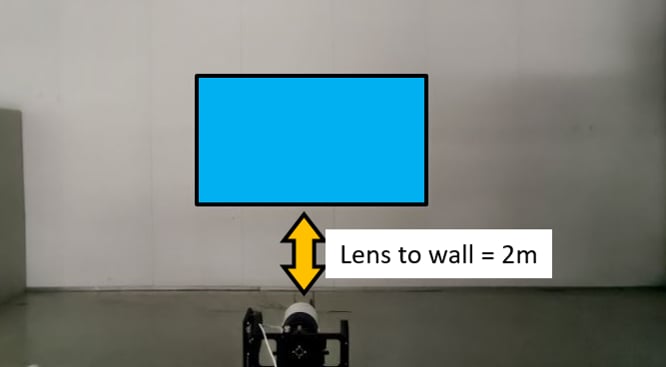
- Return the projector to a standard distance of 2 meters from the screen for optimal results.
Note: A motorized sound during focus adjustment indicates normal operation and confirms the system is functioning correctly.
3. How to Manually Adjust Focus on The Freestyle Projector
If auto-focus doesn't resolve the issue, you can manually adjust the focus through the projector settings:
- Navigate to the General & Privacy menu on your projector.
- Select Projector Settings.
- Choose Focus and adjust the slider until the image becomes clear.
4. Additional Things to Check
Ensure the following conditions are met for optimal focus performance:
- The screen should be larger than the projected image and free from obstructions.
- Avoid placing the projector near reflective surfaces like mirrors or closets, which can cause distance measurement errors.
- Clean the lens with a soft cloth (e.g., a microfiber or eyeglass cloth) to remove dust or smudges.
- Use the lens cap to protect the lens when the projector is not in use.
5. Supported Samsung Devices
The Freestyle projector focus features are available on specific models. Refer to your user manual for compatibility details.
6. Related Samsung Support Topics
Thank you for your feedback!
Please answer all questions.