Is the Galaxy S22 series water and dust resistant?
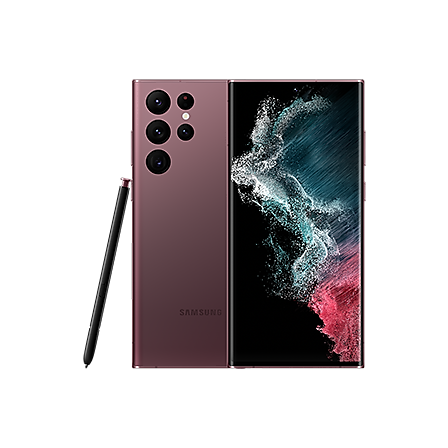
Is the Samsung Galaxy S22 Series IP68 Water and Dust Resistant?
Yes, the Samsung Galaxy S22 series is IP68 certified, meaning it offers complete dust protection and can withstand temporary immersion in up to 1.5 meters of freshwater for up to 30 minutes. However, proper care is essential to maintain this protection and prevent damage.
1. What Does IP68 Certification Mean for the Galaxy S22 Series?
The IP68 rating ensures the Galaxy S22 series is fully dust-tight and can survive submersion in freshwater up to 1.5 meters deep for 30 minutes. This certification applies to devices like the Galaxy S22, S22+, and S22 Ultra.
- IP68 does not guarantee protection against liquids other than freshwater, such as saltwater, alcohol, or chemicals.
- Fingerprint recognition is disabled underwater, even though the device is IP68 certified.
2. Precautions to Maintain Water and Dust Resistance
To preserve the IP68 rating and avoid potential damage, follow these guidelines:
- Rinse the device with freshwater immediately if it contacts saltwater, pool water, soap, oil, perfume, sunscreen, or chemicals.
- Dry the device thoroughly with a clean, soft cloth after exposure to liquids.
- Avoid charging the device while the USB port is wet to prevent short circuits.
- Shake the device gently with the speaker facing downward if water enters the speaker grille to aid drying.
3. Why Does Water Affect the Galaxy S22 Speaker?
Water entering the speaker grille can muffle sound during calls. To resolve this:
- Wipe the device with a dry cloth.
- Shake it gently with the speaker facing down to remove trapped water.
- Make test calls to allow speaker vibrations to expel moisture.
4. When Does the Galaxy S22 Restrict Charging?
The device automatically blocks charging if the USB port detects moisture or water. A water detection icon appears on the notification panel and Always-On Display (AOD) until the port is dry.
5. Supported Samsung Galaxy Devices
The IP68 rating applies to the Galaxy S22, S22+, S22 Ultra, and newer models like the Galaxy S23 and S24 series. Check your device's specifications for confirmation.
6. Additional Things to Check
- Ensure all ports, covers, and seals are intact to maintain water resistance.
- Avoid exposing the device to extreme temperatures, which can degrade water resistance over time.
Related Samsung Support Topics
Thank you for your feedback!
Please answer all questions.